
- Open or import a .txt file to the app and on the document preview screen;
- Select part of the text with a regular iOS text selection gesture and change the format of the text using the buttons above the keyboard:
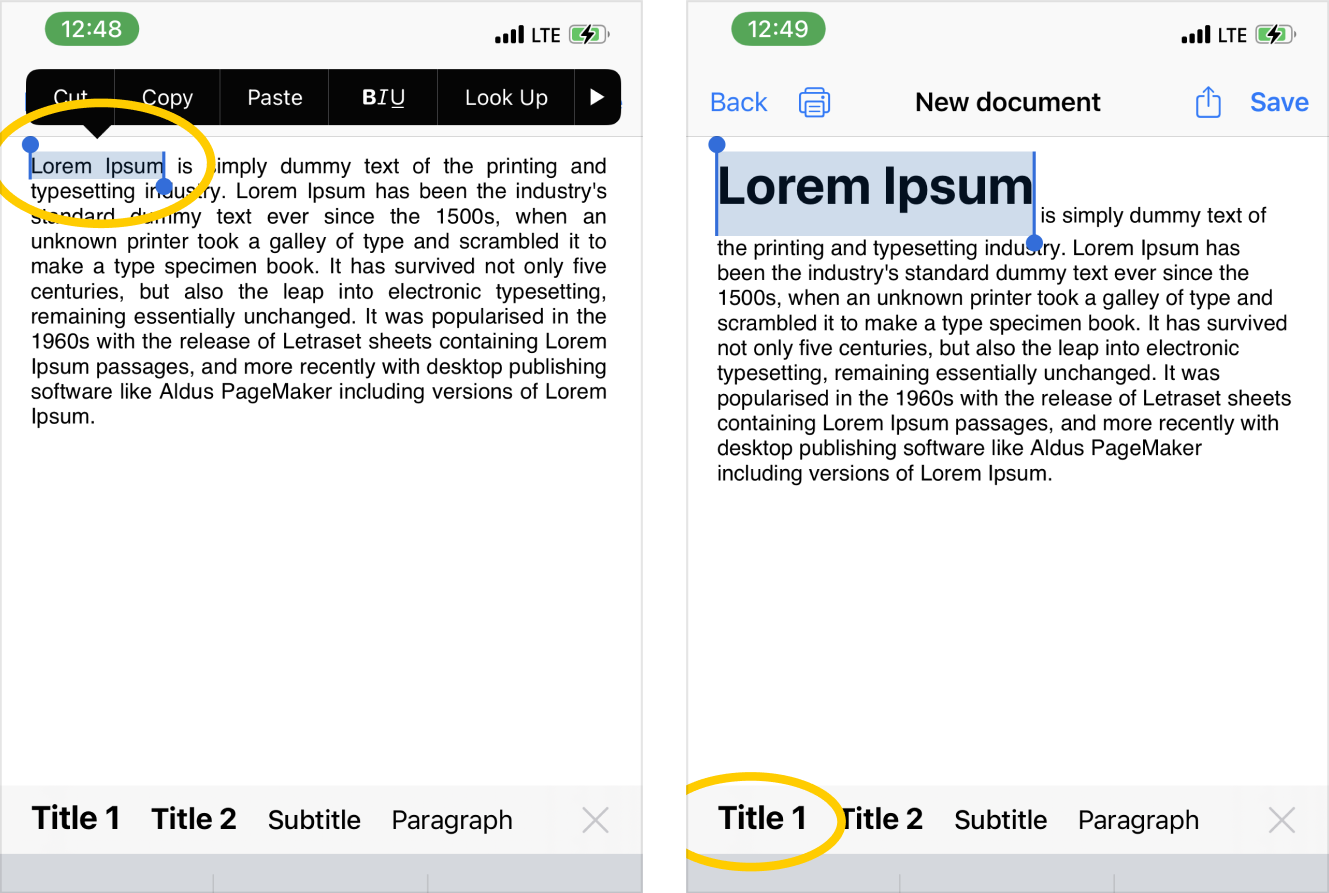
- You can change the text format to the following possible formats: paragraph, heading, subheading, and plain text:
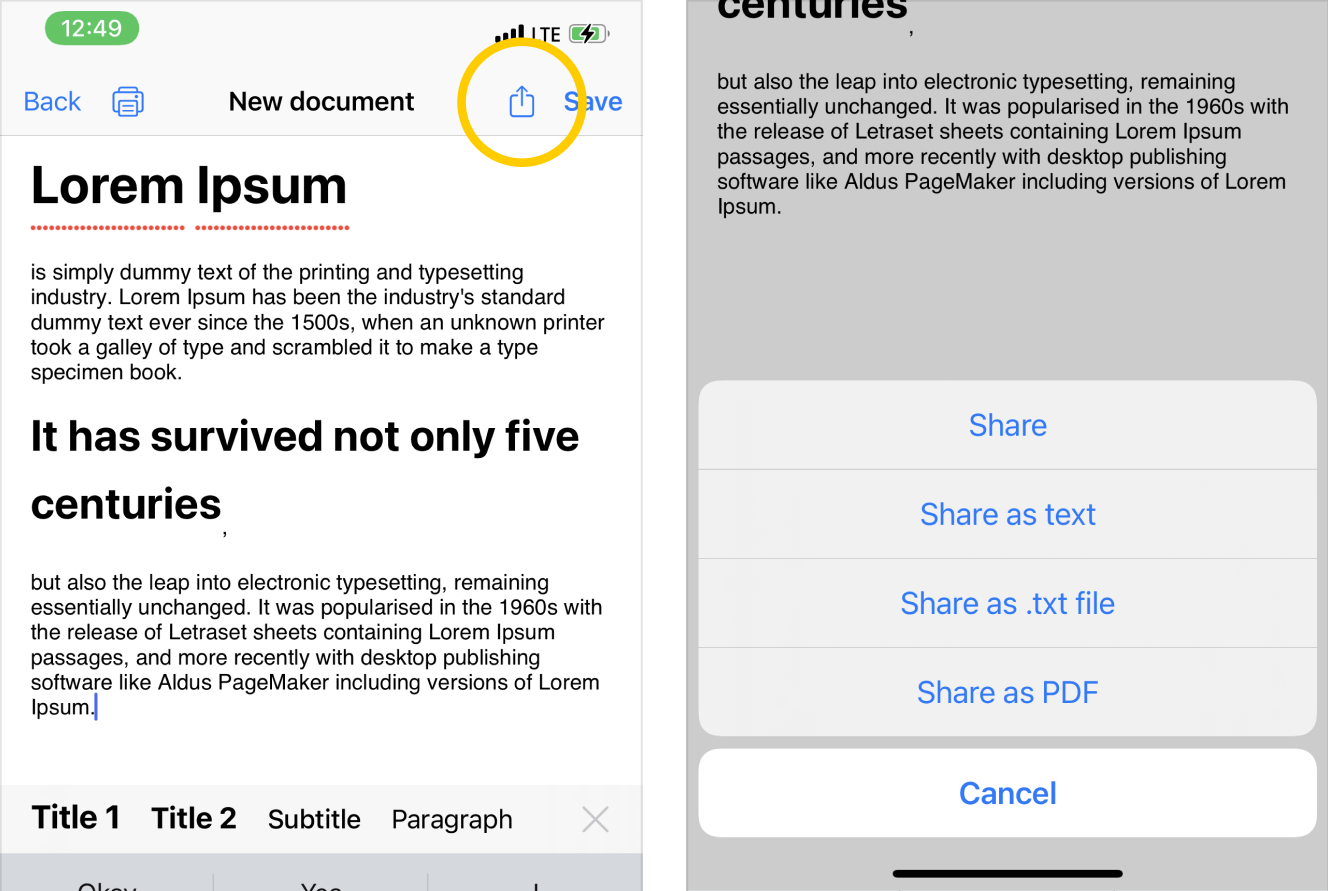
- After you finish formatting the text, you can export the document in several formats: as a .rtf file (first Share button) as plain text (the text will be copied to the clipboard), as a .txt file, or as PDF.