
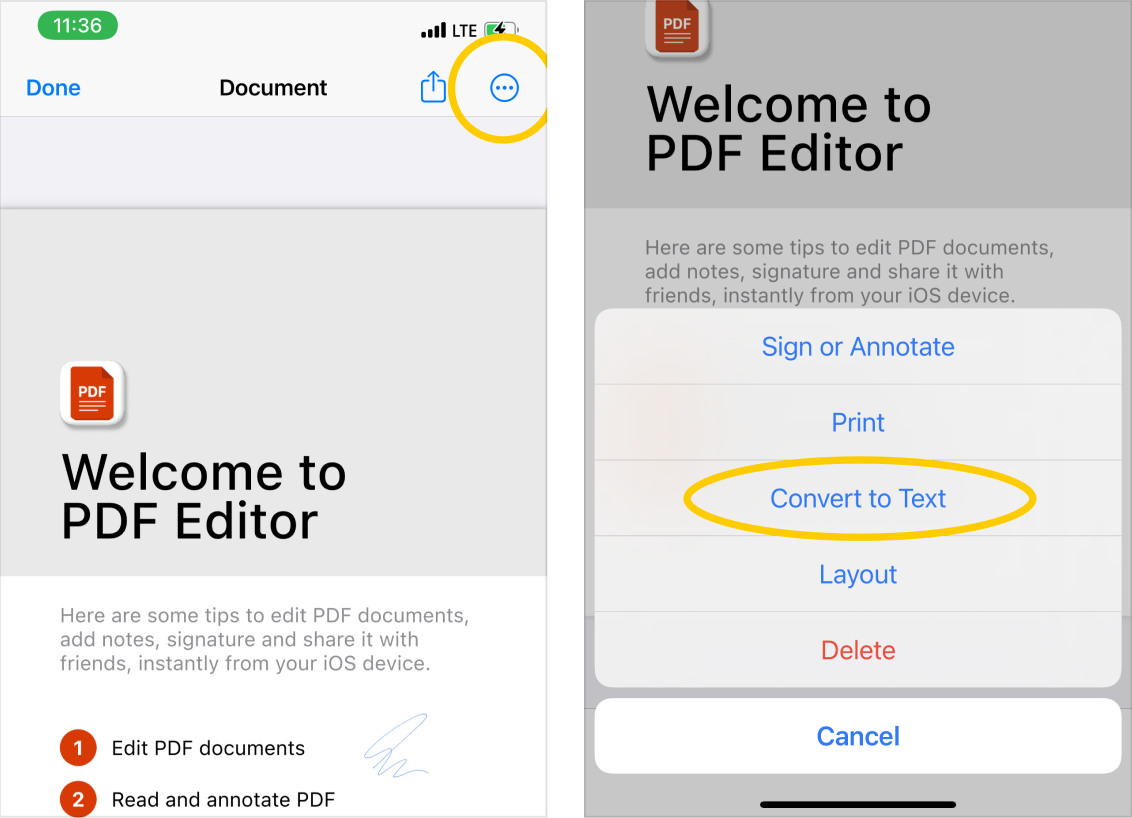
- Open or import a PDF document to the app and on the document preview screen;
- Tap on the
 actions button in the top right corner. In the action-sheet menu, select the Convert to Text feature:
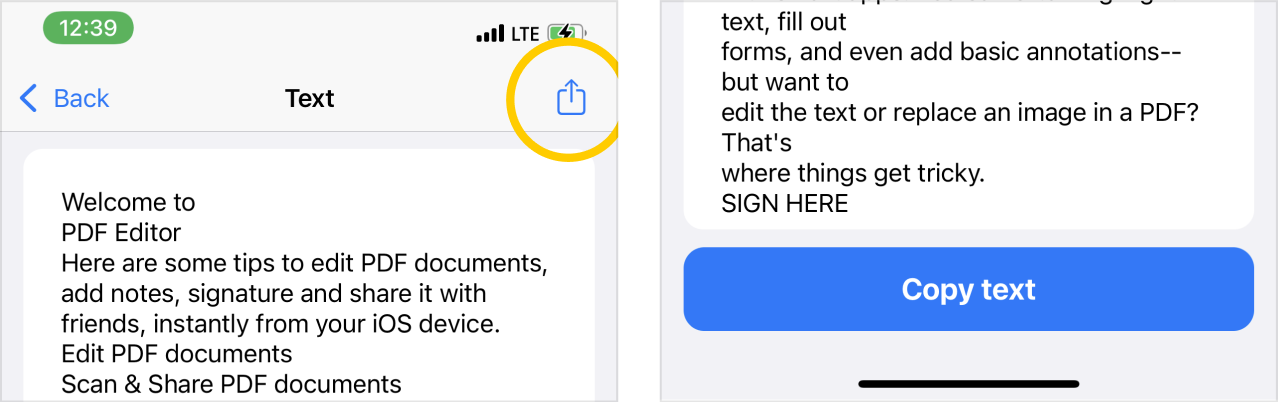
- Any PDF document with text will be transformed into plain text, which you can export or save. After transformation, you can also change the text using the keyboard, you can delete or add some parts of the text before saving. You can share a text document in social networks or messengers by clicking on the export button in the upper right corner of the screen.
- Please note that the PDF Editor app can only recognize English text now. We are already working hard on new languages support.