
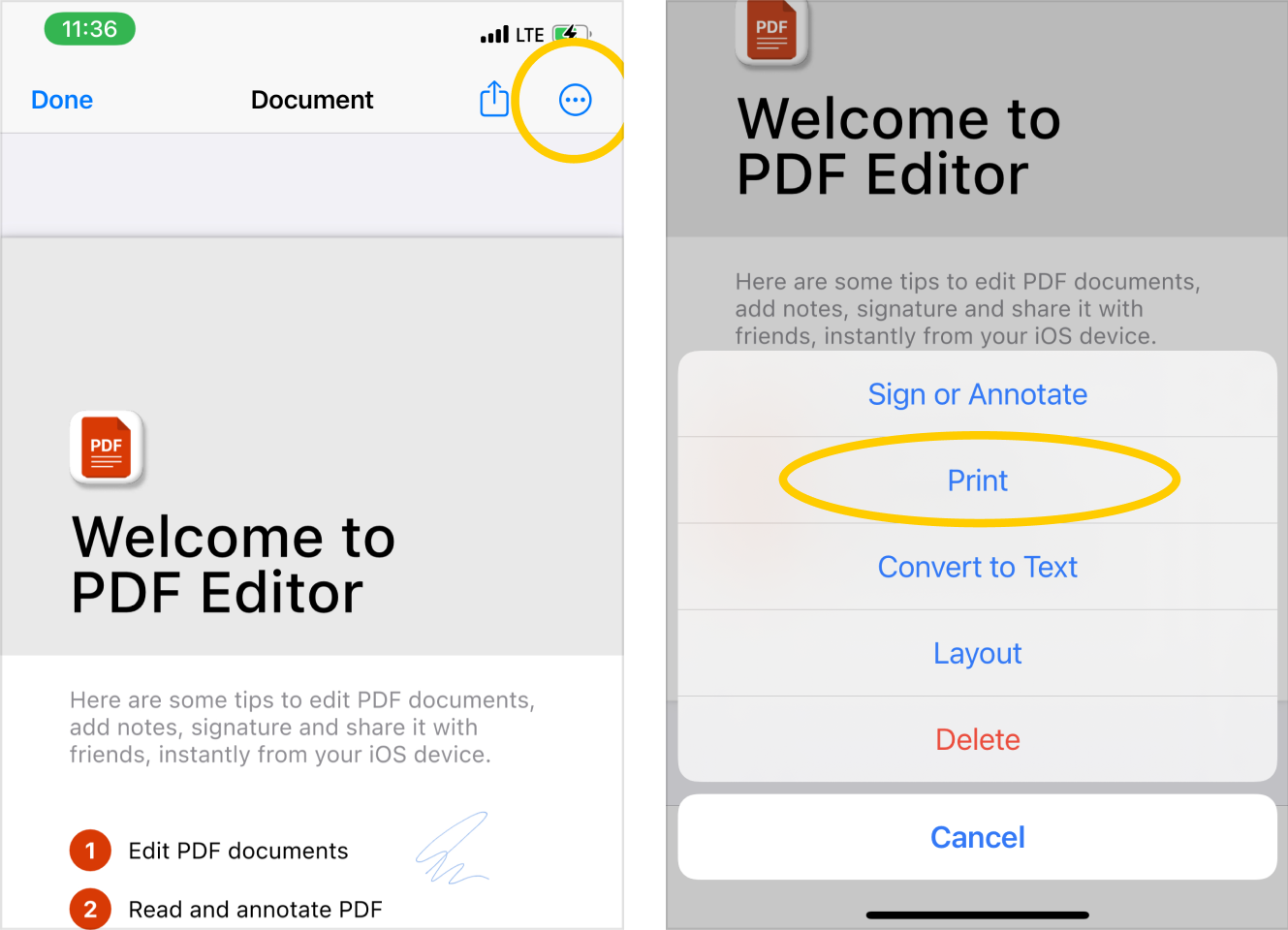
- Open or import a PDF document to the app and on the document preview screen;
- Tap on the
 actions button in the top right corner. In the action-sheet menu, select Print feature:
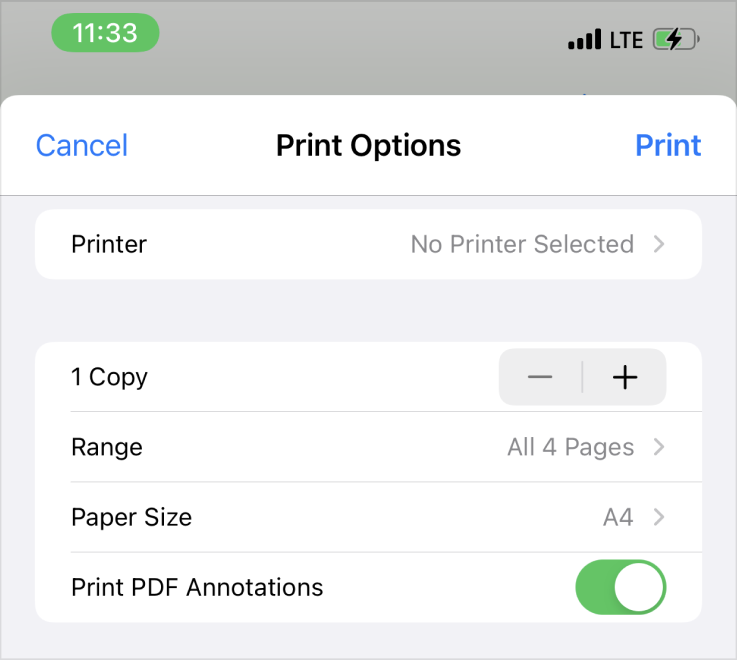
- On the print settings page, you can select any connected AirPrint printer, adjust the number of copies to print, select a page size, choose whether to print a document with or without annotations and select a range of printed pages.
- Please note that to print documents, your printer must be connected to the same wifi network as your iPhone.