
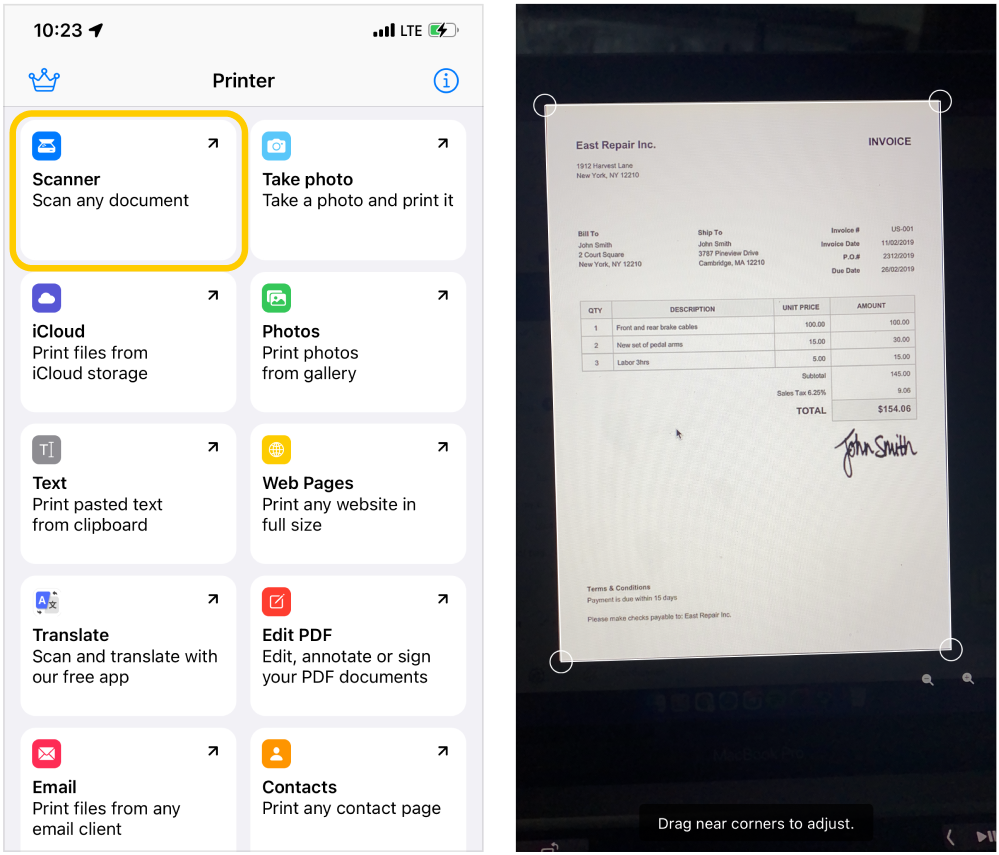
- On the main Printer
 tab tap on Scanner
  and you will be redirected to the scanner module:
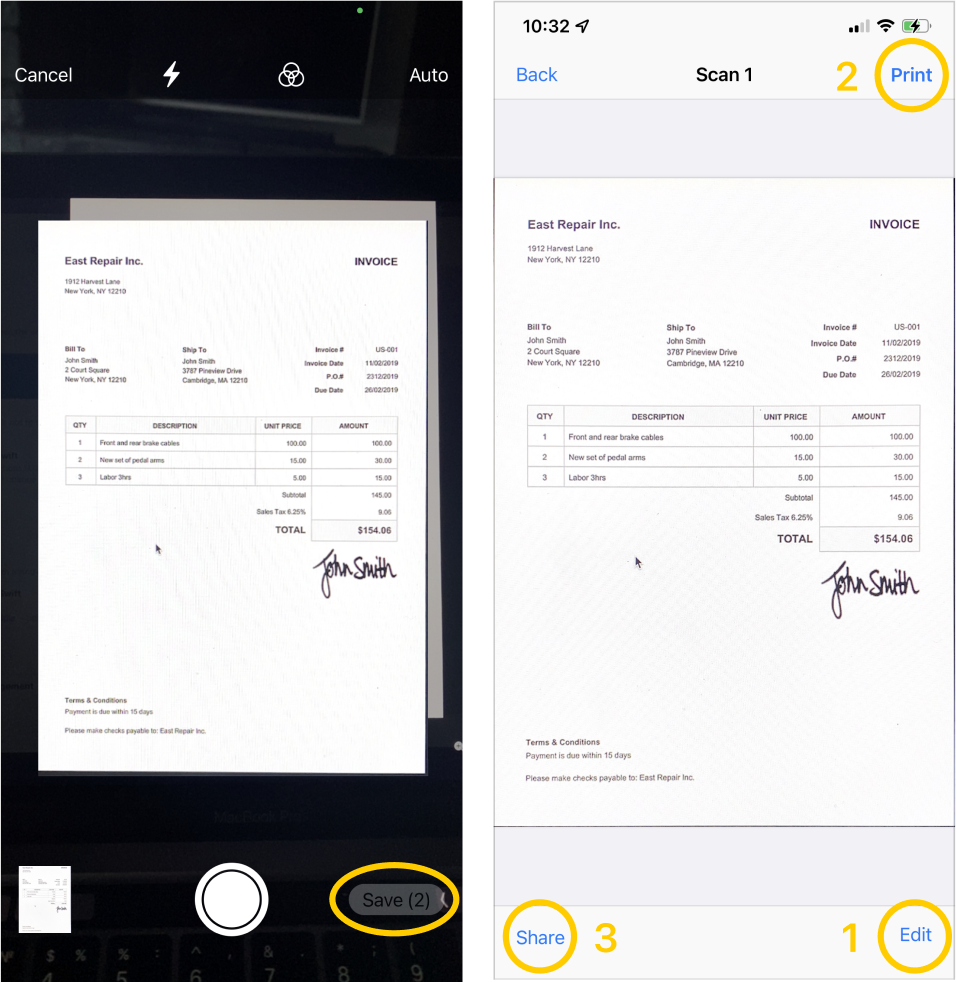
- Make a scan and tap Save at the top bottom of the screen. You can edit, annotate and adjust scanned PDF by tapping on (1) Edit button or you can send scanned PDF to your printer from this page (2). You can also just share your scanned PDF with friends by tapping on the share button (3).
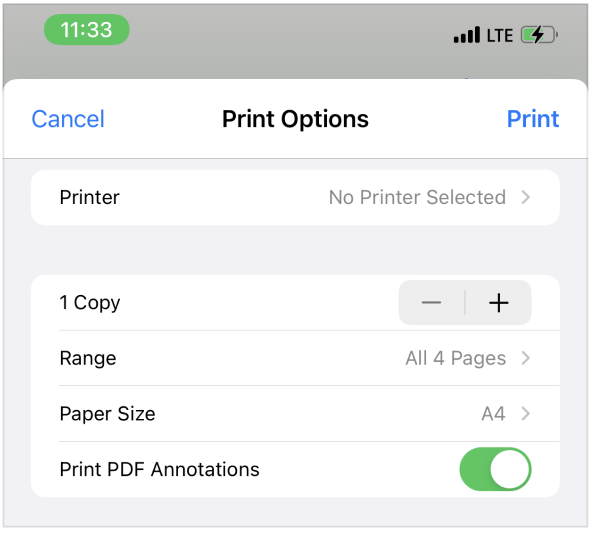
- On the print settings page, you can select any connected AirPrint printer, adjust the number of copies to print, select a page size, choose whether to print a document with or without annotations and select a range of printed pages.
- Please note that to print documents, your printer must be connected to the same wifi network as your iPhone.