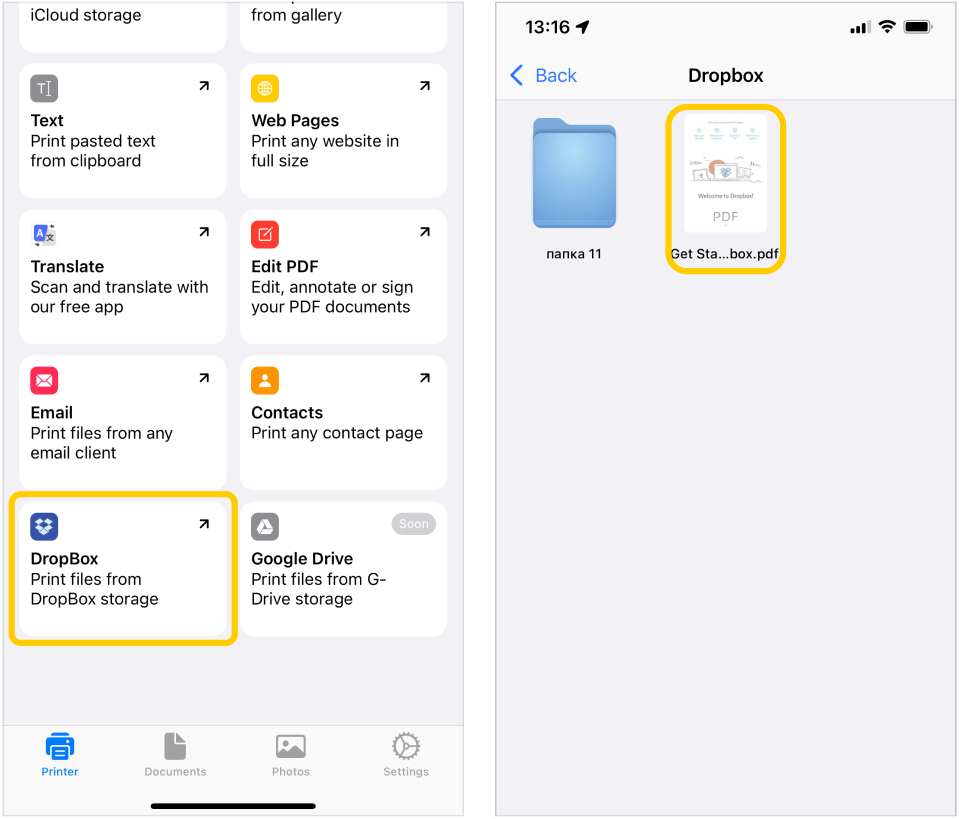
On the main Printer tab , tap on the Dropbox button and you will be redirected to a new page where you can choose any files to print from your Dropbox storage:
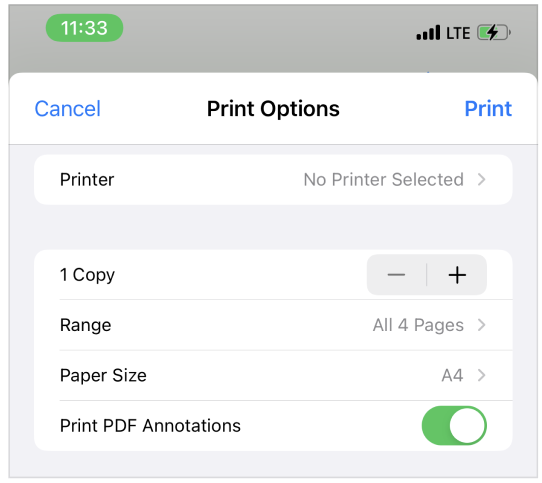
On the print settings page, you can select any connected AirPrint printer, adjust the number of copies to print, select a page size, choose whether to print a document with or without annotations and select a range of printed pages.
Please note that to print documents, your printer must be connected to the same wifi network as your iPhone.

 , tap on the Dropbox button and you will be redirected to a new page where you can choose any files to print from your Dropbox storage: