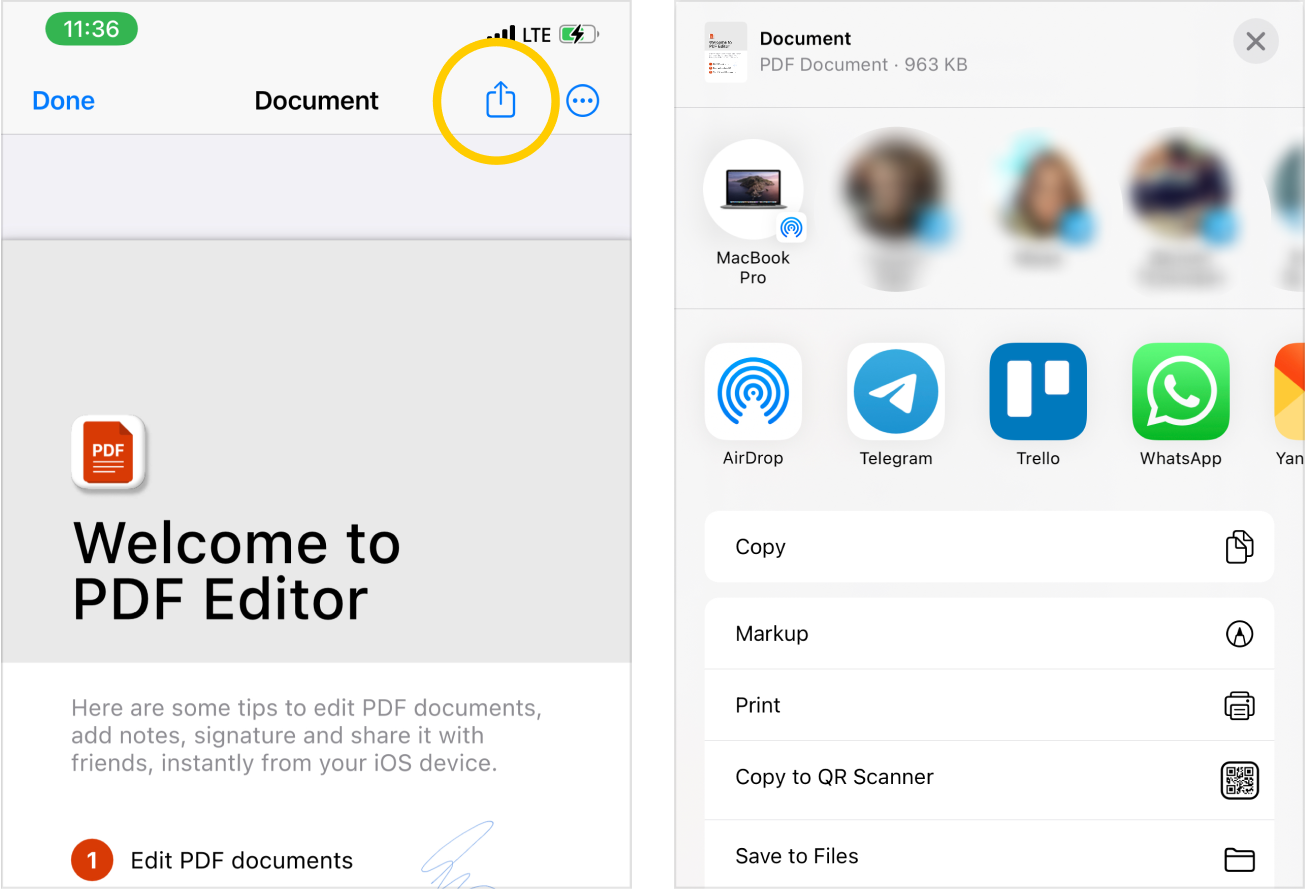
On the PDF document preview page, tap on the - export button in the upper-right part of the screen on the new drop-down sharing page, select the person with whom you want to share the PDF document, or select an application from the list below, where you can open the document.
For example, you can send a document to a Printer app to print it or save the document to DropBox or Google Drive. Or send to a friend or colleague in any messenger on your device.

 - export button in the upper-right part of the screen on the new drop-down sharing page, select the person with whom you want to share the PDF document, or select an application from the list below, where you can open the document.